Trader data#
Every trade on Polymarket is public, so you can see what any trader has done: how much they've made, how often they win, what they hold right now and every trade they make. Signals puts it all on one page per trader, and tells you on Telegram after a trader you follow trades.
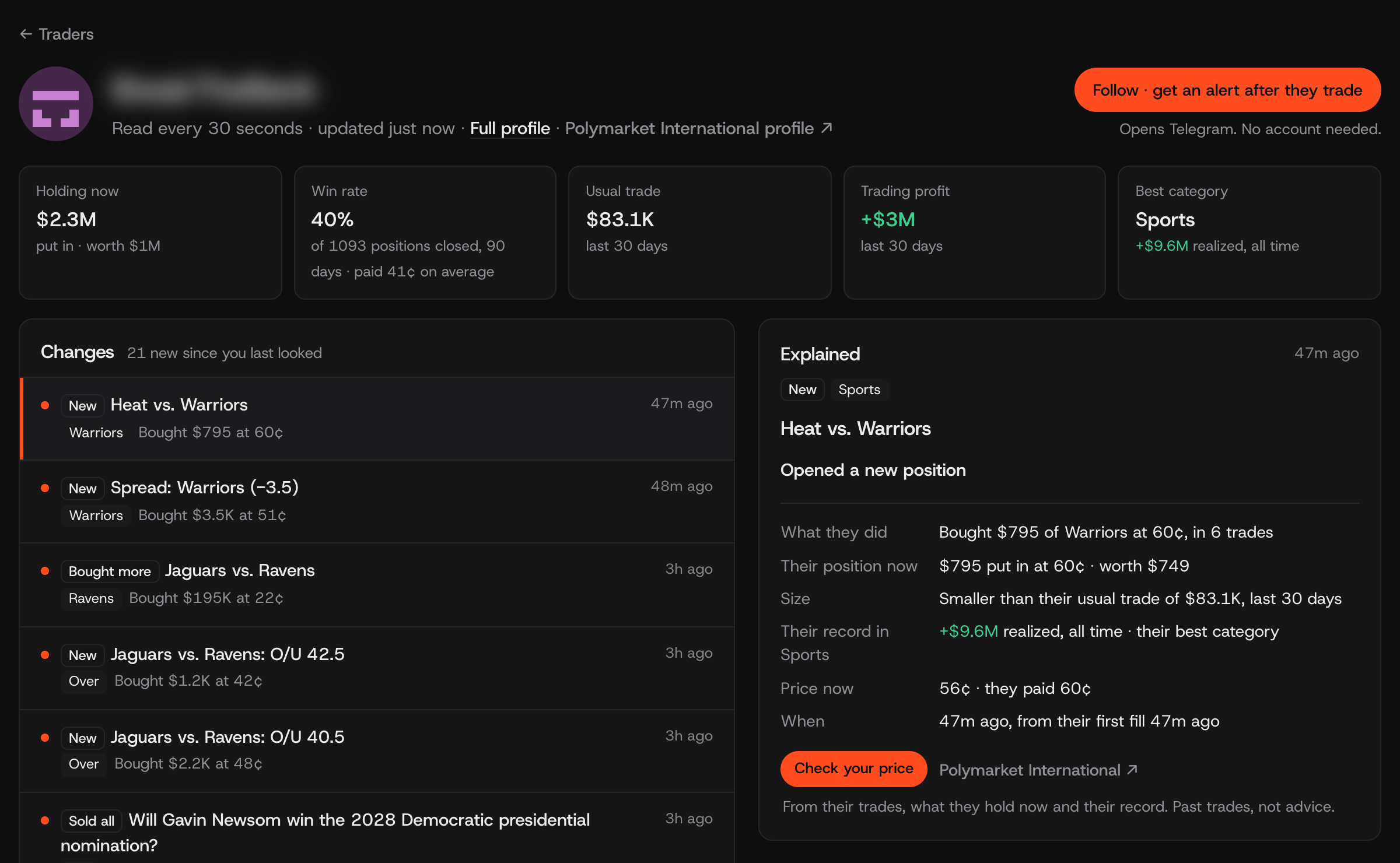
One trader's page on Signals, Nov 5: what they hold, how often they win and what they pay, and every trade they make, explained. The name is blurred here; the app shows it.
What you can see about a trader#
- Profit. What they've made from trading, after fees. Profit they've taken is kept apart from profit still open in positions they hold.
- Win rate. How many of their closed positions made money, for example 440 of 1,093.
- What they pay. The average price of what they buy. Read it next to the win rate (see the example below).
- Weeks up. How many of the last 12 weeks they ended in profit. Steady beats one lucky week.
- Usual trade. How much they usually put into a trade, so you can tell a big move from a normal one.
- Where their profit comes from. Their profit by category: sports, politics, crypto and so on.
- Worst drop. The biggest fall in their profit from a high, so you see the bad stretches too.
- What they hold now. Every open position: what they put in and what it's worth now.
- Every trade. Each buy and sell, newest first, with the price they paid.
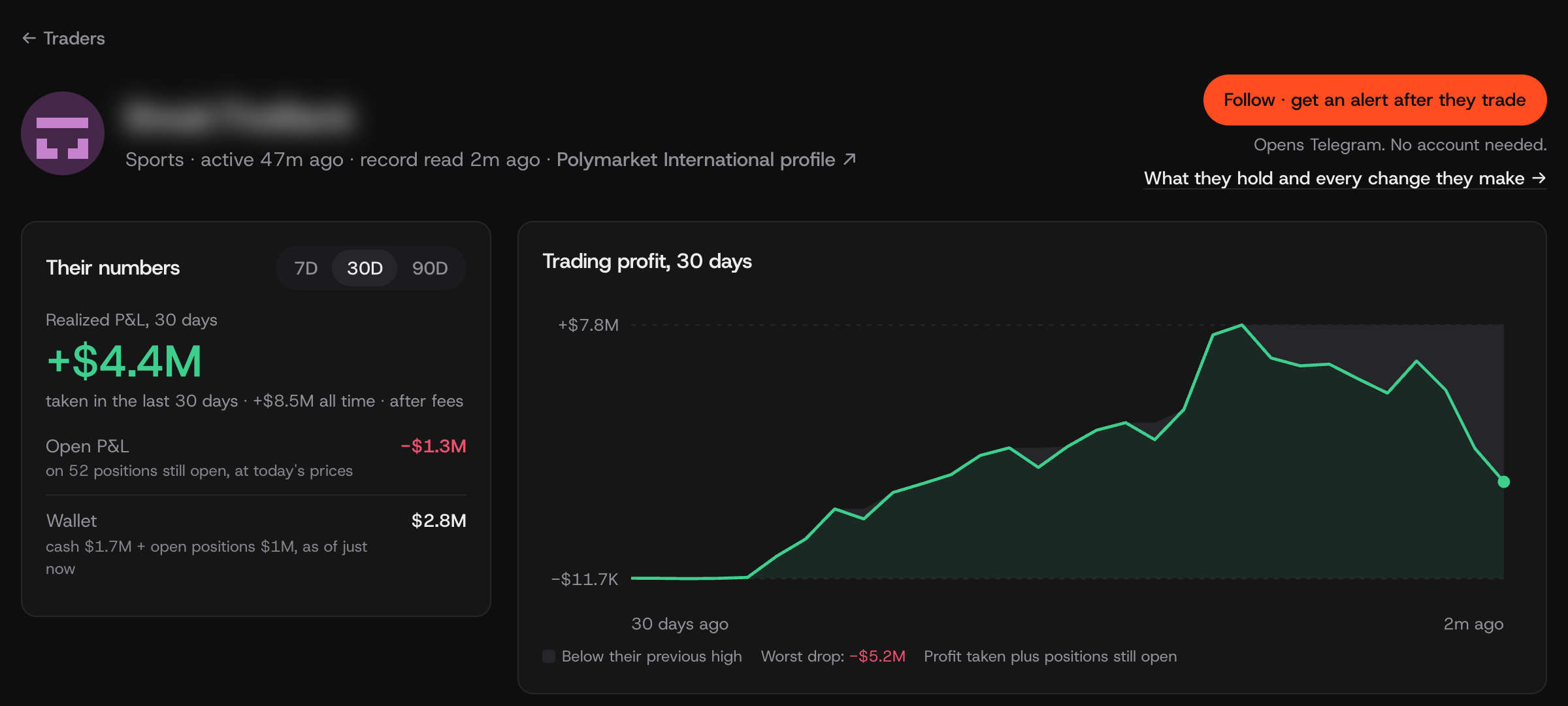
Their profit over 30 days, with the worst drop marked.
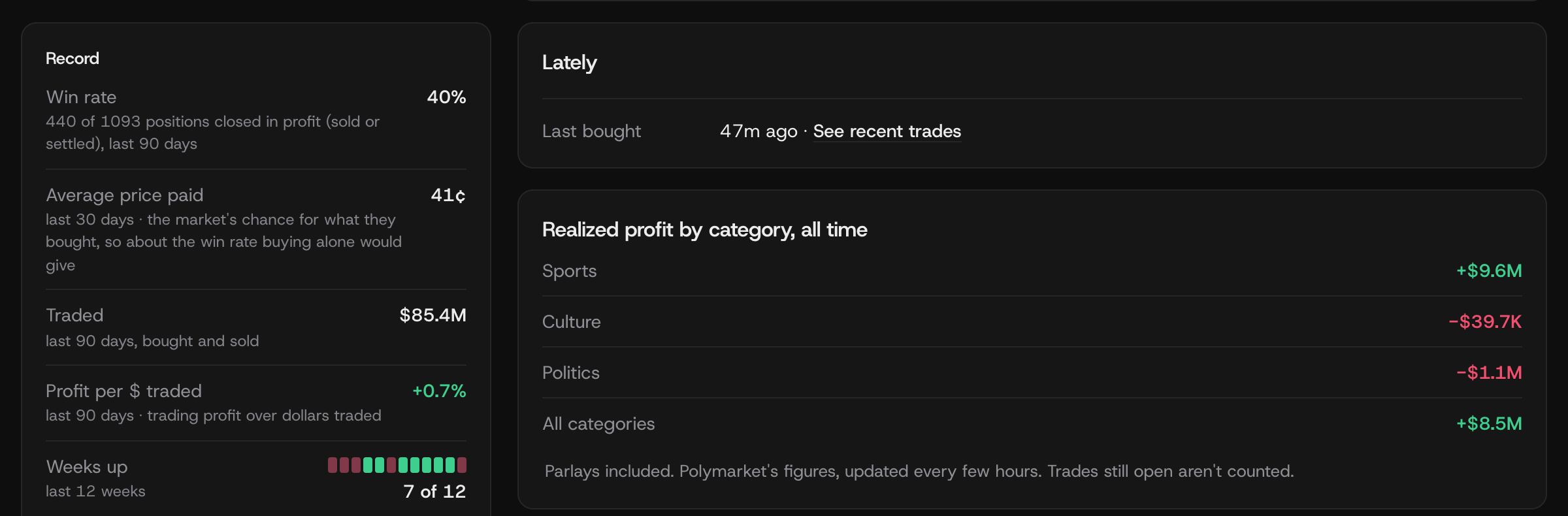
Their record: win rate next to the price they pay, weeks up, and where their profit comes from.
Reading the numbers: an example#
Say a trader shows a 44% win rate and pays 22¢ on average.
A 44% win rate sounds poor until you see the price. A 22¢ buy pays $1 if it wins, so they only need to win a little more than 1 time in 5 to come out ahead. Winning 44% of the time at that price is very good.
The other way round: a trader who wins 90% of the time but pays 90¢ is only breaking even. Most of their wins come from buying near-sure things.
That's why Signals always shows the win rate next to the price paid.
Follow a trader#
- Find one. Browse the Traders list, sorted by profit, win rate or weeks up, or search by Polymarket username.
- Follow them. Tap Follow on their page. It opens Telegram, with no account needed, and you get a message after they buy or sell. You can follow up to 20 traders.
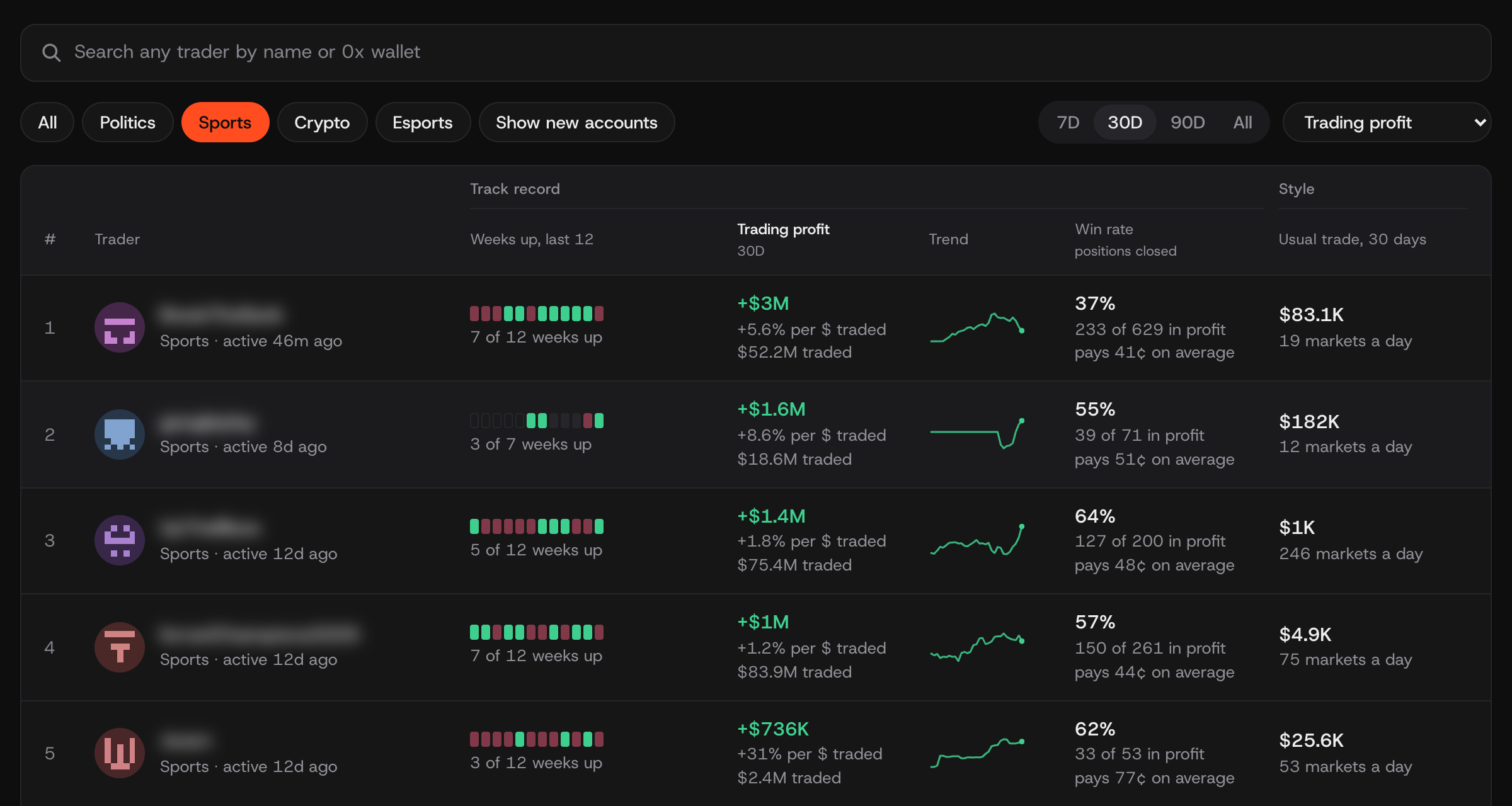
The Traders list, sports, 30 days. Names are blurred here; the app shows them.
Signals is free and places no orders. You buy on the exchange yourself.
Good to know#
- Polymarket International. Its trades are public, so that's where the traders come from.
- A record is the past. Profit and win rate say what a trader did, not what they'll do next.
For developers#
Building with this data? The developer guide on GitHub covers every call in the Python SDK.