Signals#
Signals lets you follow the best traders on Polymarket. See their track record, what they hold now and every trade they make, and get a Telegram alert after they trade, with what buying the same thing would cost you right now.
Signals places no orders. You buy on the exchange yourself.
The Watchlist, recorded from live Polymarket data on Oct 22: follow a trader, see every change they make, and get an alert after they trade.
What's in it#
- Traders. A leaderboard of every Polymarket trader with a buy in the last 30 days and a few positions closed. It shows what they did, never a verdict: no tiers and no "recommended". Sort by trading profit, profit per $ traded, win rate, volume or most weeks up, over 7 days, 30 days, 90 days or all time, and filter by Politics, Sports, Crypto or Esports. Accounts with under 4 weeks of history are hidden unless you turn on Show new accounts. Search finds any trader by Polymarket username or wallet.
- A trader's profile. Profit taken and profit still open, after fees, and their wallet (cash plus open positions). Their win rate (positions closed in profit) next to the average price they paid, since a trader who pays 90¢ wins most of the time by buying alone. Their usual trade size, a profit chart with their worst drop, and profit by category. Two tabs: Positions (what they put in and what it's worth now) and Recent trades.
- Watchlist. Follow up to 20 traders. Each one's watch page shows what they hold and every change over the last 30 days (a new position, more bought, some sold, all sold), with the facts behind each one: their position now, the size against their usual trade, their record in that category and the price now. Anyone can open a watch page, with no account needed.
- Feed. Following is every trade from the traders you follow over the last 24 hours. Top traders is trades of $1,000 or more from the traders with the most trading profit over the last 30 days.
- Alerts on Telegram. A message after a trader you follow buys or sells. You get every trade by default; for each trader you can choose only trades over an amount, or one summary every 6 hours. Following a very busy trader says so first. At most 200 alerts a day.
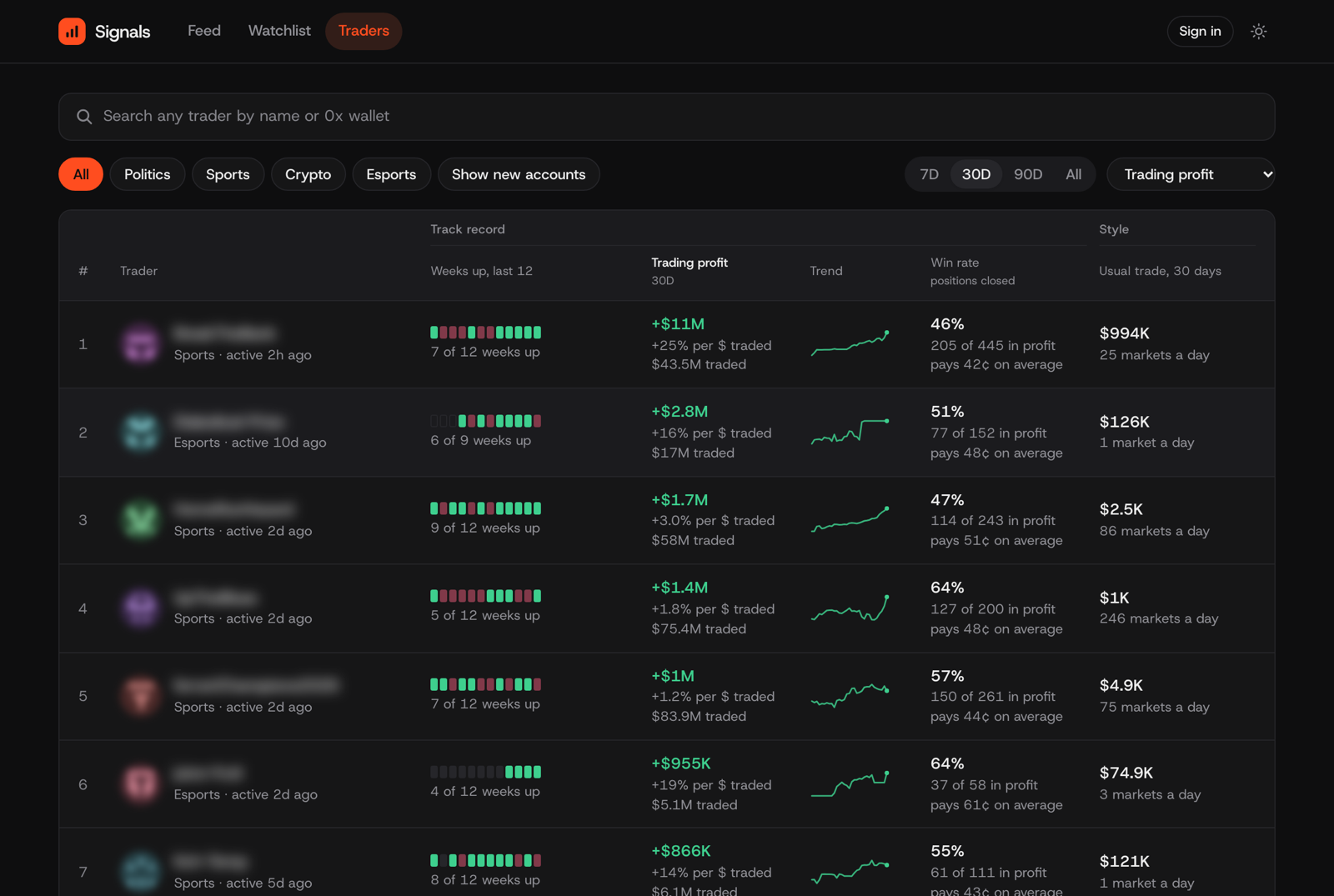
Traders on Oct 27, sorted by trading profit over 30 days. Trader names are blurred here; the app shows them.
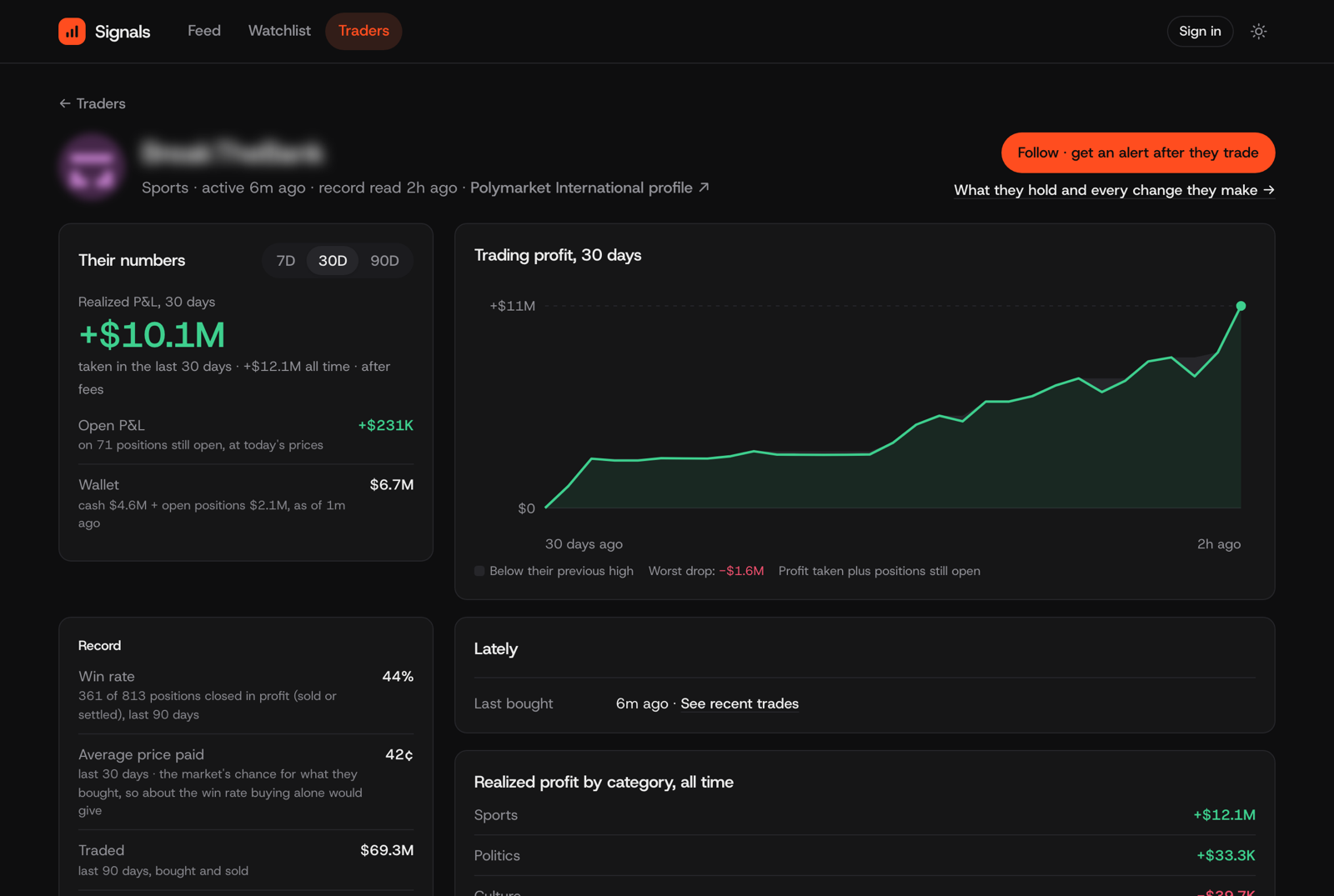
A trader's profile: profit taken and still open, their record, and where their profit came from.
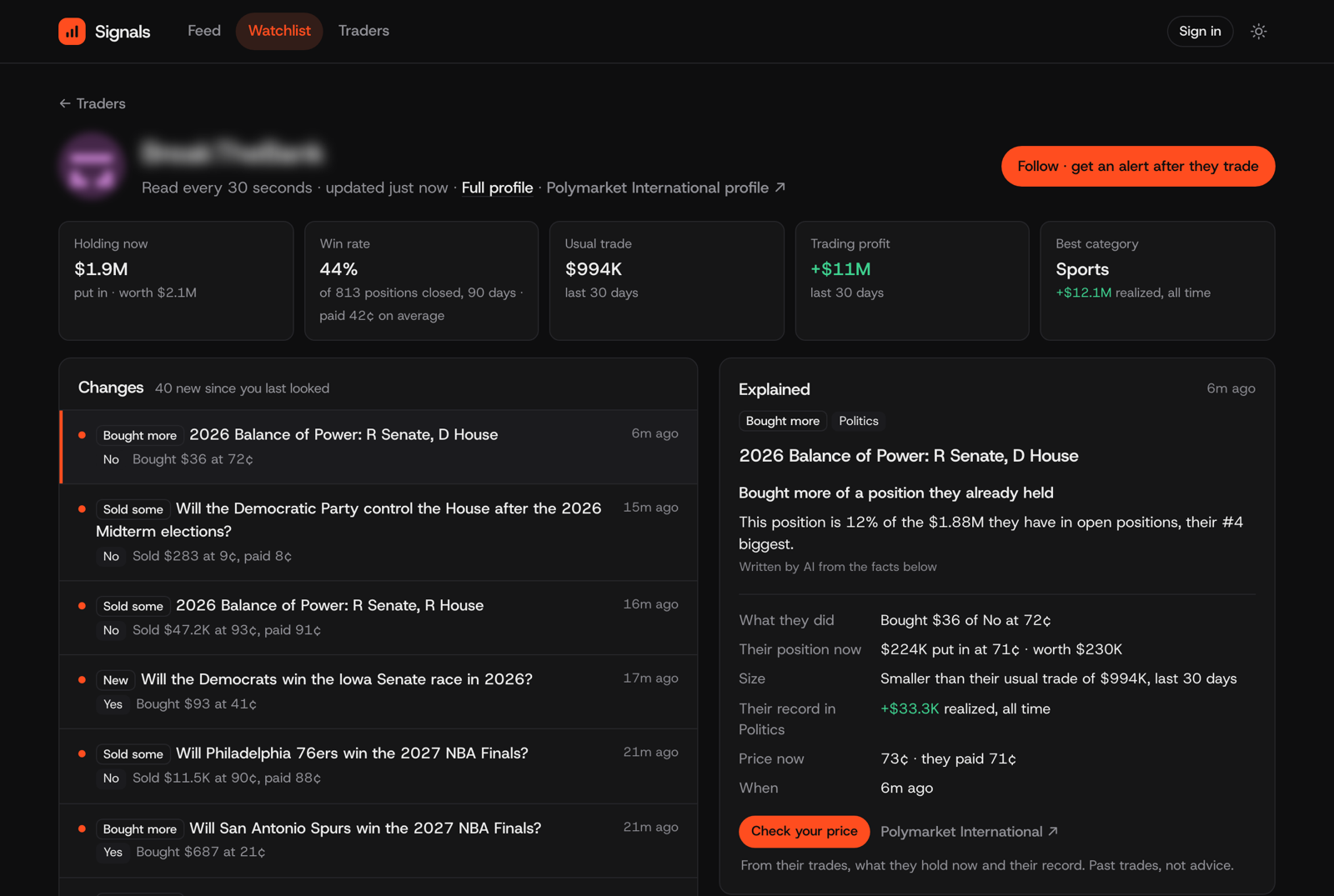
A watch page: every change they make, newest first, and the facts behind the one you pick.
What buying now costs#
Every trade has Check your price. Pick an amount, and Signals prices it from the order book right now: what it fills at (up to 3¢ above the cheapest price for sale), the fee, what's for sale within that limit, and what you get if it wins. The trader's own price is shown for context only. It's an estimate, not a guaranteed fill.
The traders Signals follows trade on Polymarket International. When Layer has a verified match for the market on Kalshi, the estimate is priced on Kalshi, Buy on Kalshi comes first, and every way the two markets may pay out differently is listed. When Layer has a verified match on Polymarket US, the trade links to it too. Alerts carry the same links.
Good to know#
- Polymarket International only. Its trades are public. Signals doesn't see trades on Polymarket US or Kalshi, so a trader's price isn't one to expect there.
- A record is the past. Win rate, streaks and profit say what a trader did, not what they'll do next. We haven't found that buying after a trader makes money.
- The AI-written note says only what the facts say. On a watch page, one sentence written by AI can join the facts that stand out, and it's labelled. Every figure comes from Signals, not the AI; a sentence with a number the facts don't have isn't shown, and when nothing stands out there's no sentence.
- How fresh. Traders you follow are read every 30 seconds. Big trades come from Polymarket's feed of every trade, which runs a few minutes behind.
- Names, never wallets. A trader without a Polymarket username shows as "Trader 0x91…76".
Signals is open source#
The code is on GitHub at uselayer/signals, under the MIT license. Want to build your own version? The README shows how to run it.